Netlify Credits Explained: How They Work and When They Reset (2026)
· 9 min read
Netlify credits are a prepaid usage unit: builds, bandwidth, and function calls all draw from one balance instead of being billed as separate metrics. Monthly plan credits reset at the start of each billing cycle — the day of the month your team account was created, not the 1st — and unused monthly credits do not roll over, unless you are on a Pro plan with 5,000 or more monthly credits. Credit packs and auto-recharge credits never expire. When the balance reaches zero, every project on the account pauses until the next cycle starts.
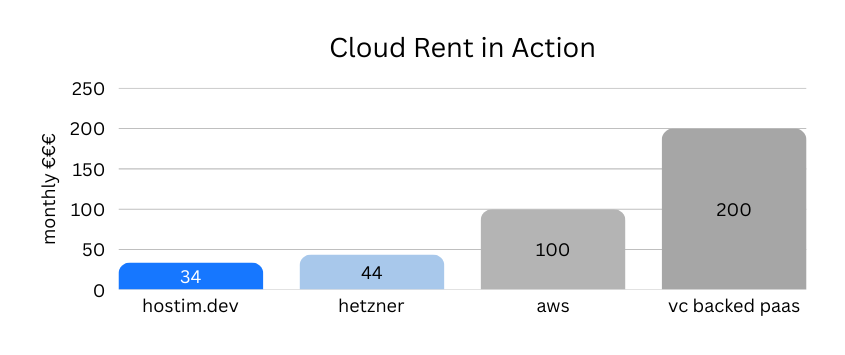
📌 Last week, I wrote about Cloud Rent in Action – how layers of middlemen drive up the cost of running a simple SaaS stack. Netlify's new pricing update feels like the same story, playing out live.